


Новое поступление

Беспроводной двойной инфракрасный детектор SONOFF 433 МГц RF PIR датчик движения умный
1144.46

HF600 qrcode usb портативный штрих-код qr-код 2d Портативный сканер штрих-кода | Модули

Лидер продаж рама из алюминиевого сплава CNEBIKES запатентованная электрическая

Светодиодный аквариумный светильник Spectra Nano 30 Вт для соленой воды с сенсорным
6731.65

Новинка 2022 г. ультразвуковой очиститель EraClean домашний вибратор Очистительная

Новинка 1 шт. электронный компас тройной Аксис магнитометр сенсор модуль HMC5883L GY-271

BroadLink Bestcon TC2S 2gang Single Line Smart Touch Switch EU Works with Alexa Google Assistant IFTTT on. - Бродлинк Бесткон ТС2С 2-канальный сенсорный выключатель для ЕС, совместимый с Алексой, Гугл Ассистентом и ИФТТТ.
1682.35

Diy Box Electronics Mall
Магазина Diy Box Electronics Mall работает с 05.05.2016. его рейтинг составлет 91.5 баллов из 100. В избранное добавили 7350 покупателя. Средний рейтинг торваров продавца 4.7 в продаже представленно 1957 наименований товаров, успешно доставлено 76562 заказов. 15972 покупателей оставили отзывы о продавце.
Характеристики
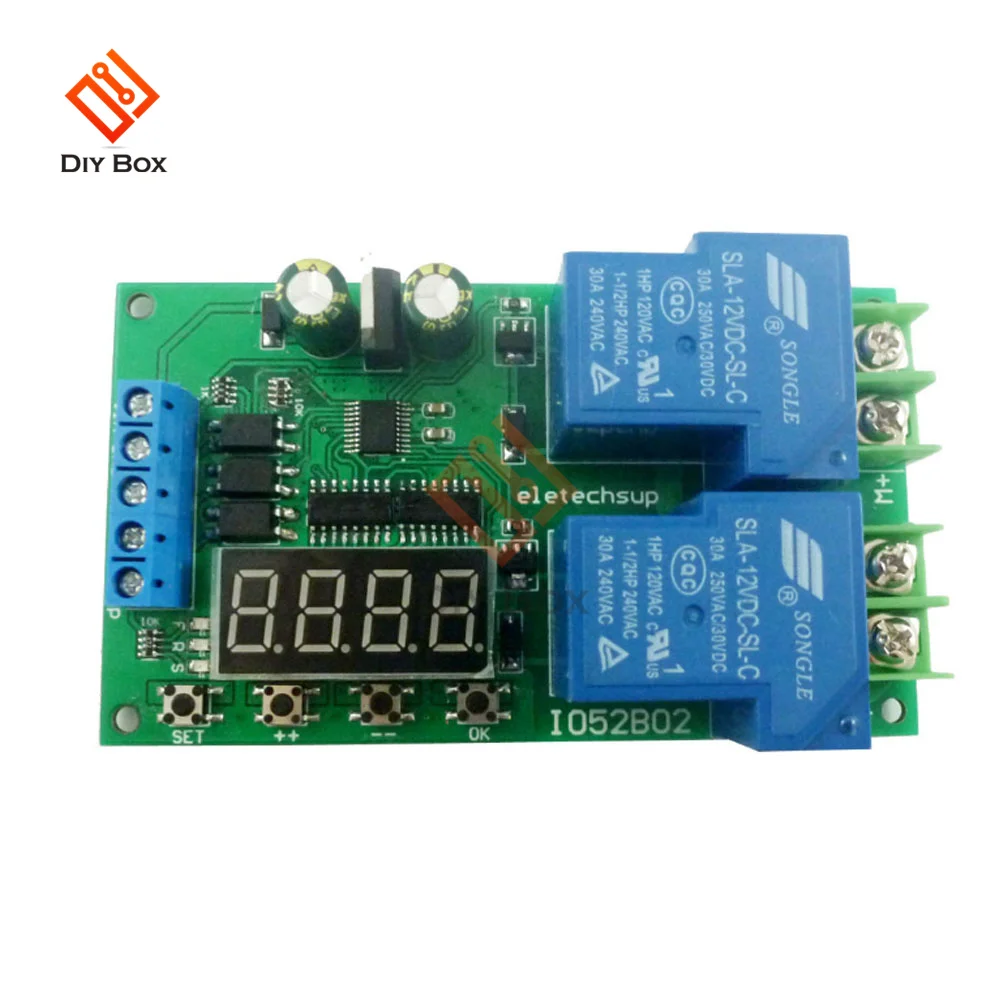
12В 30А Многофункциональная плата реле контроллера двигателя постоянного/переменного тока с функциями вперед/назад автоматической задержкой циклическим запуском и остановкой.
История изменения цены
*Текущая стоимость 871.2 уже могла изменится. Что бы узнать актуальную цену и проверить наличие товара, нажмите "Добавить в корзину"
| Месяц | Минимальная цена | Макс. стоимость | Цена |
|---|---|---|---|
| Feb-19-2026 | 1106.66 руб. | 1128.26 руб. | 1117 руб. |
| Jan-19-2026 | 897.58 руб. | 915.49 руб. | 906 руб. |
| Dec-19-2025 | 1089.42 руб. | 1111.86 руб. | 1100 руб. |
| Nov-19-2025 | 1080.57 руб. | 1102.44 руб. | 1091 руб. |
| Oct-19-2025 | 862.55 руб. | 879.4 руб. | 870.5 руб. |
| Sep-19-2025 | 1063.71 руб. | 1084.67 руб. | 1073.5 руб. |
| Aug-19-2025 | 1054.53 руб. | 1075.91 руб. | 1064.5 руб. |
| Jul-19-2025 | 1045.95 руб. | 1066.60 руб. | 1055.5 руб. |
Описание товара


Brand NameocckicModel Number12V 30A Multifunction DC/AC Motor Controller Relay Board Forward ReverOriginMainland ChinaCertificationNONECompatibilityOthersState of AssemblyAlmost ReadyCamera EquippedNoMeasurement unitpiece/piecesEach pack11 361,25 ₽-36%1 361,25 ₽-36%871,20 ₽871,20 ₽there are seller's couponsloader 5,0 All stars
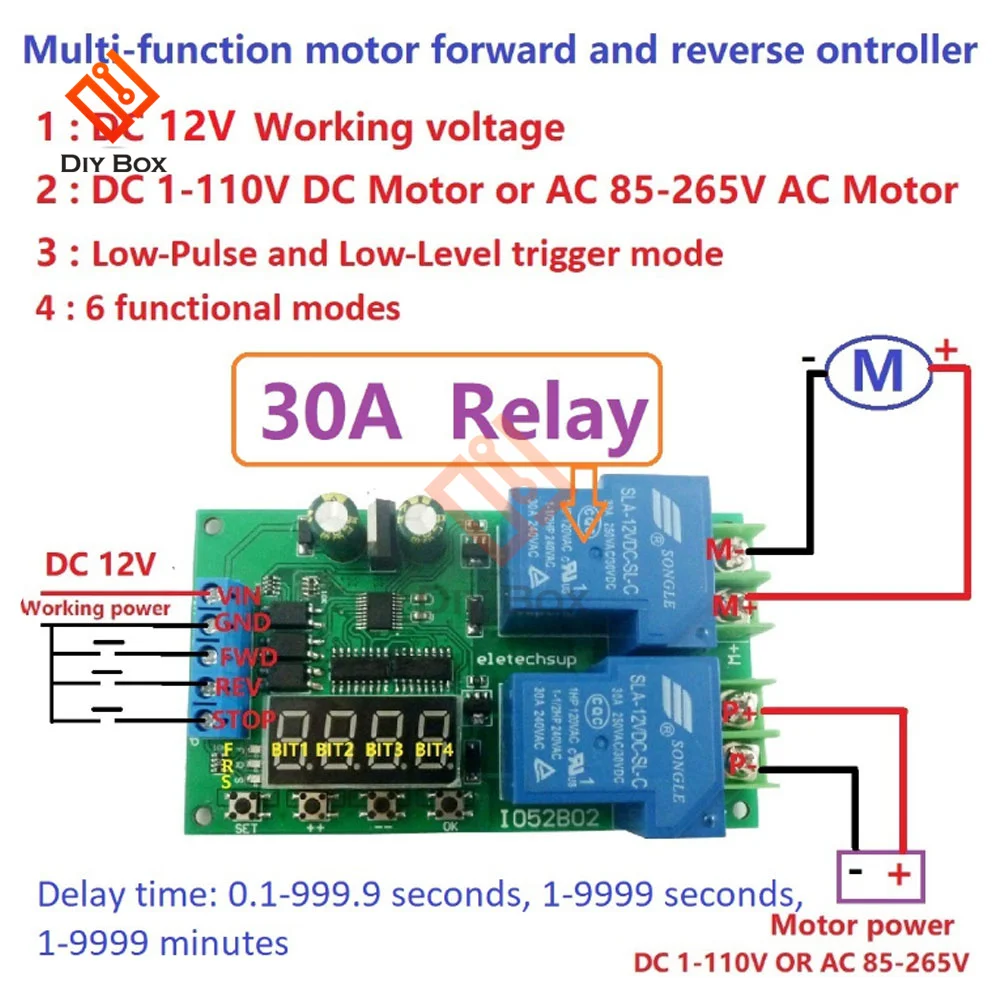
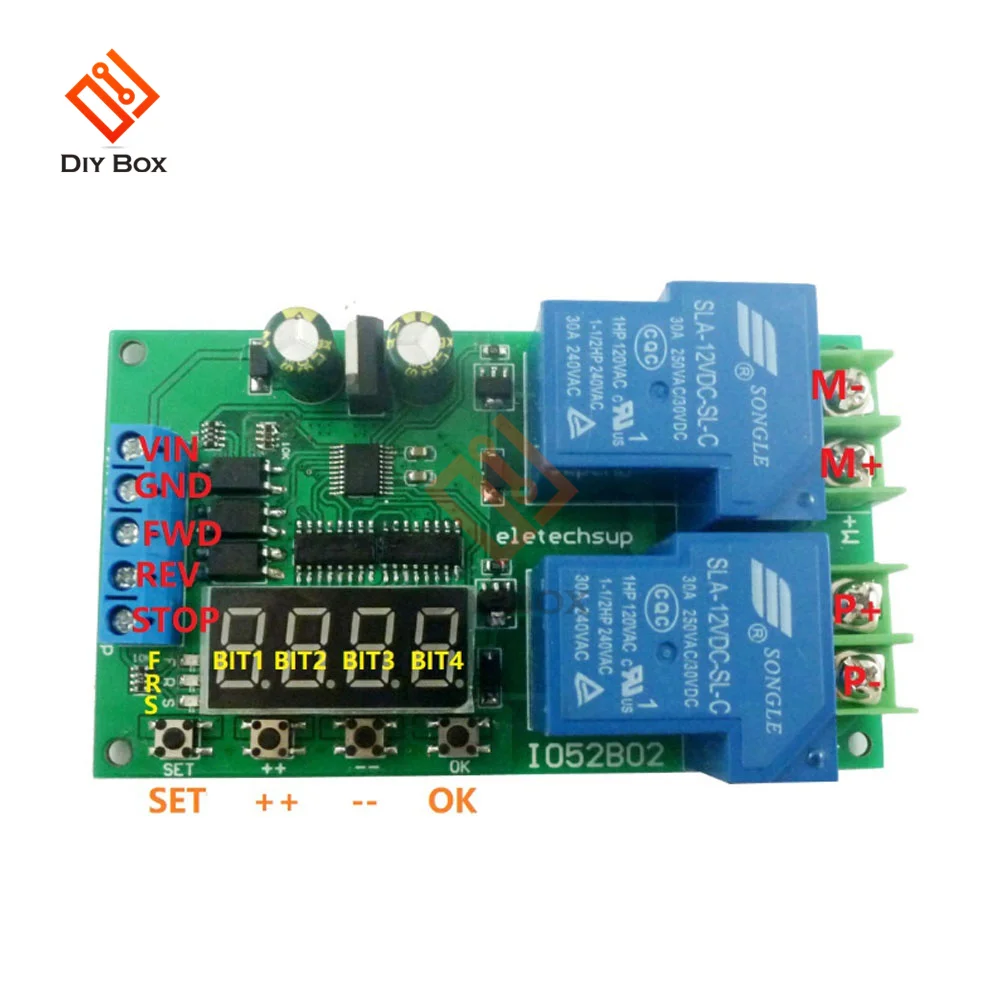
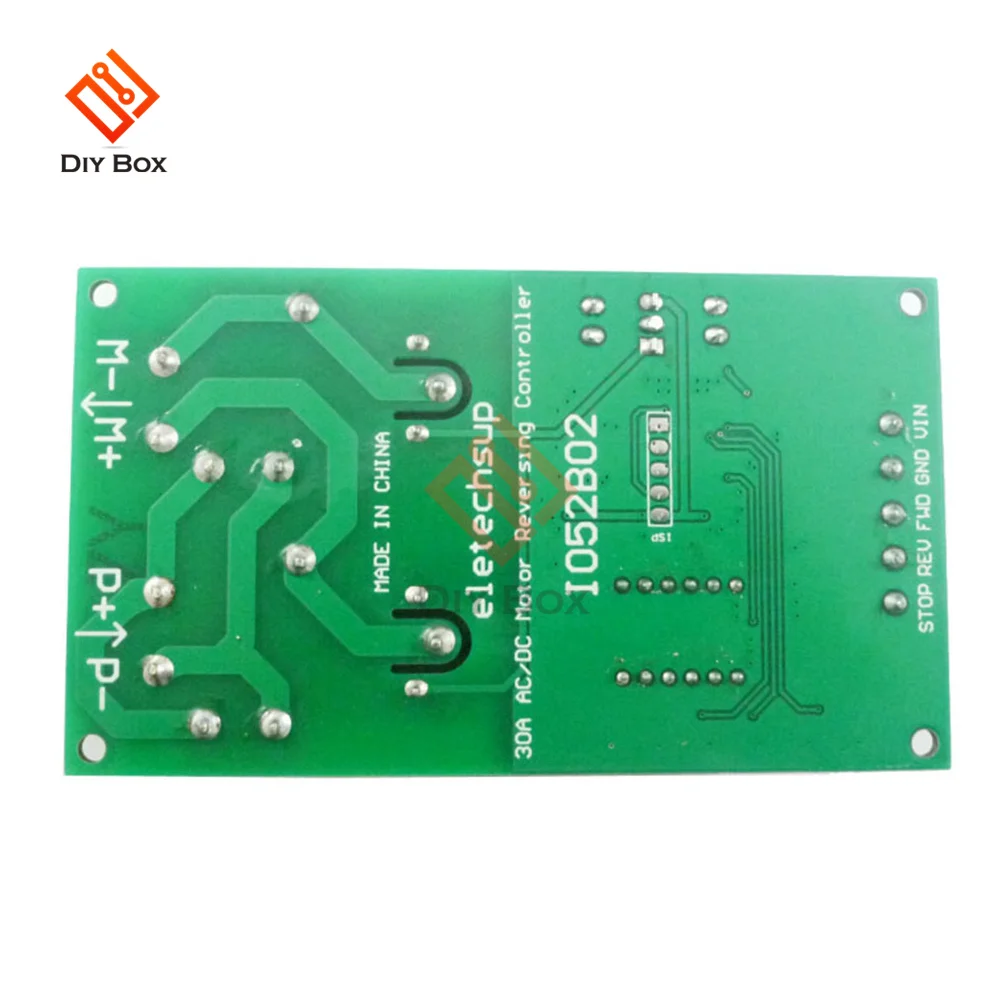
1: There are three input control ports: forward control (FWD), reverse control (REV) and stop control (STOP) 2: There are three indicator lights: forward indicator (F LED), reverse indicator (R LED), stop indicator (S LED). 3: There are two input trigger modes, Low-Pulse trigger mode and Low-Level trigger mode 4: 6 functional modes 5: Wiring diagram, simple and easy to understand, Product Features: 2 Working current: (normal mode) standby current 22mA, working current 109mA; (Energy-saving mode) Standby current 7mA, working current 76mA. 3 There are three input control ports: forward control, reverse control, and stop control. 4 Two input trigger modes, low pulse trigger mode and low level trigger mode 5 Delay time: 0.1-999.9 seconds, 1-9999 seconds, 1-9999 minutes. 6 Number of cycles: no cycle, 2-99 cycles, always cycle. 7 Three indicator lights: forward indicator, reverse indicator, stop indicator. 7 6 functional modes. 8 Relay load current: 30A 250VAC/30VDC 9 Size: 97.5*56*24mm 10 Weight: 87 grams This is a 30A multifunctional DC/AC motor forward and reverse controller. There are multiple control methods, and many control functions can be derived through reasonable settings. Port: VIN: Positive power supply, DC 12V power supply GND: negative pole of power supply FWD: Forward rotation input control (part of the function mode is invalid) REV: Reverse input control (part of the function mode is invalid) STOP: Stop input control (part of the function mode is invalid) M+: positive motor M-: Motor negative P+: positive pole of motor power supply P-: negative pole of motor power supply Connection method: 1 The working power supply is 12VDC. The motor is DC1-110V DC motor or AC 85-265V AC motor. Q&A: Q1: Why does the digital tube not light up after power on? A1: This is because the "energy-saving mode" is set, please press and hold the OK button for 5 seconds to exit the energy-saving mode Q2: Why does the motor not work after the motor is connected to the M+/ M- port? A2: The board's working power supply and the motor power supply are independent. You need to supply power to the motor separately. The power supply port is the P+/P- port. It is recommended that the working power supply and the motor power supply use two independent power supplies. A3: After setting the parameters, be sure to re-power on. Trigger method: 1 Low pulse trigger (start action on falling edge) 2 Low level trigger (start action after the end of low level (rising edge)) Time: T1: Forward rotation time T2: Reversal time T3: Stop time Time unit: 0.1 second, 1 second, 1 minute Relay action: Motor forward rotation: Relay 1 is closed, relay 2 is disconnected, and the F indicator flashes. Motor reverse rotation: Relay 1 is disconnected, relay 2 is closed, and the R indicator flashes. Motor stops: Relay 1 is off, relay 2 is off, and the S indicator flashes. Factory settings: Press the "++" key and the "--" key at the same time for 5 seconds Energy saving settings: Press and hold the OK button for 5 seconds to enter the energy-saving mode, and press the OK button again for 5 seconds to exit the energy-saving mode. Energy saving is only to turn off the digital tube and LED indicator, and other functions are normal. Function mode: After power-on, the motor rotates forward for T1 time; then the motor stops for T3 time; then the motor reverses for T2 time; this cycle is repeated Nx times. When the STOP port is triggered, the motor immediately stops working. (FWD and REV ports are invalid) This function is a variant of F-01. When F-01 is powered on, it runs directly, while for F-02, FWD trigger starts to cycle from forward rotation, and REV triggers to cycle from reverse rotation. Trigger the FWD port, and the motor will rotate forward for T1 time, and automatically stop (in order to protect the motor, during the delay period, trigger the REV port to stop T3 time and reverse and trigger the FWD port to retiming T1). Trigger the REV port, and the motor will reverse for T2 time and automatically stop (in order to protect the motor, during the delay period, trigger the FWD port to stop forward rotation after T3 time, and trigger the REV port to retiming T2). Trigger the STOP port, and the motor will stop immediately, regardless of whether the motor is rotating forward or reverse. Trigger the FWD port, the motor will rotate forward for T1 time, and automatically stop (during the delay period, triggering other ports is invalid except for triggering STOP). Trigger the REV port, the motor will reverse for T2 time, and automatically stop (during the delay period, triggering other ports is invalid except for triggering STOP). Trigger the STOP port, and the motor will stop immediately, regardless of whether the motor is rotating forward or reverse. When the FWD port is low, the motor rotates forward, after the FWD port is released, the motor stops When the REV port is low, the motor reverses, and after the REV port is released, the motor stops In this mode, the FWD and REV ports cannot be connected to low level at the same time, and the STOP port is invalid. When the FWD port is low, the motor rotates forward, after the FWD port is released, the motor stops When the REV port is low, the motor reverses, and after the REV port is released, the motor stops In this mode, the FWD and REV ports cannot be connected to a low level at the same time. If the STOP port is triggered, the motor will stop immediately, regardless of whether the motor is rotating forward or reverse. Parameter settings: Note: When entering the "function menu" or "parameter menu", the module is still working normally (countdown, triggering are normal operation), the parameters set will be effective after power on again. If the current function is F-01, then it will run forward and reverse directly, and the digital tube will display the countdown. After the operation is completed, F-01 is displayed. If the current function is another function, such as F-11. Then the digital tube displays F-11. After the trigger, the digital tube displays a countdown, and after the operation is completed, it displays F-11. Note: The F LED indicator flashes for the forward countdown, the R LED indicator flashes for the reverse transmission countdown, and the S LED indicator flashes when it stops. In the parameter menu, short press the SET key to select the parameters from 1-9, and use the "++" and "--" keys to set the parameters. Short press the OK button to save the current settings and return to the previous menu (function menu) Instruction: 2 The number of cycles refers to the number of times that a cycle is executed once (Nx =0 means forever cycle, Nx =1 means no cycle). So you can set the number of cycles: 1-99 times or cycle forever. 3 In F-21, F-22 function, Nx=1 parameter cannot be changed Package Include:Reviews
Description


1 Power on and enter the running state (work interface).


Смотрите так же другие товары: