


Новое поступление

4 канала 12 В автомобилей Автозапуск универсальный пульт дистанционного

MX3 2 4G Беспроводная клавиатура с подсветкой Air Mouse Пульт дистанционного управления
1 035,95 руб.

HORMANN ECOSTAR RSC2 RSE2 433 92 МГц RF пульт гаражные ворота управления с настраиваемым потоком

NEW Remote control RM-GD007 For SONY LCD HDTV TV RM-GD007W KDL-22S5700 KDL-32V5500 KDL-32W5500 KDL-40V5500 | Электроника
828,76 руб.

10 KEY Luminous Wireless Steering Multi-Function Stereo DVD GPS Navigation Car Wheel Remote Control Buttons | Электроника
2 161,64 руб.

BAB-75M Brand new original stock in head office warehouse | Электроника
14 979,66 руб.

Радиочастотный 220 В 1 канал радиочастотный беспроводной пульт дистанционного
1 899,05 руб.
Характеристики
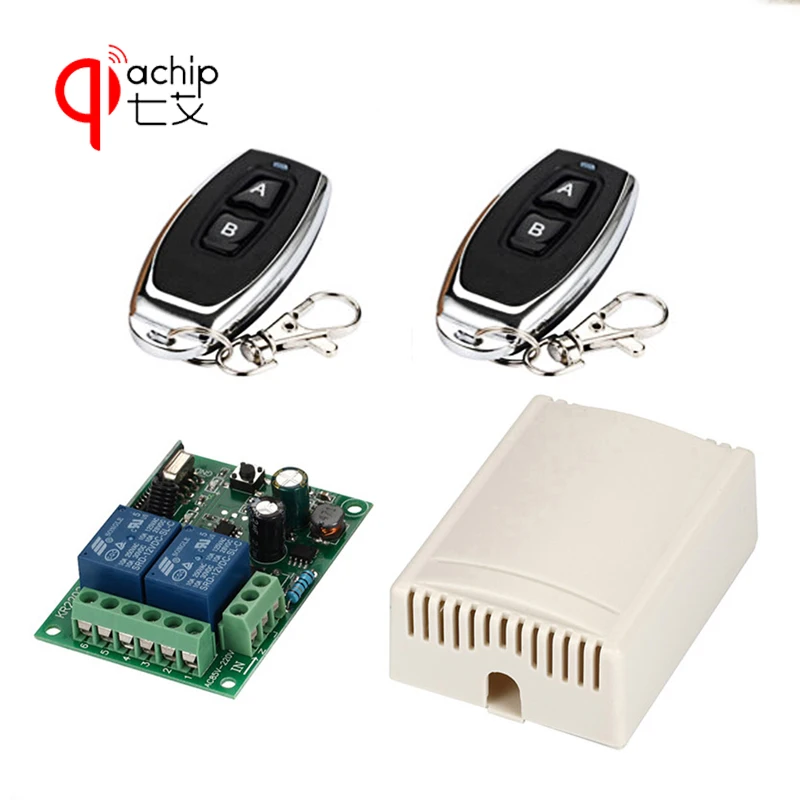
QIACHIP Universal Wireless Remote Control Switch AC 85V-250V 2CH 1pcs Relay Receiver Module and 2pcs RF Controls | Электроника
История изменения цены
*Текущая стоимость уже могла изменится. Что бы узнать актуальную цену и проверить наличие товара, нажмите "Добавить в корзину"
| Месяц | Минимальная цена | Макс. стоимость | Цена |
|---|---|---|---|
| Mar-23-2026 | 0.99 руб. | 0.68 руб. | 0 руб. |
| Feb-23-2026 | 0.83 руб. | 0.34 руб. | 0 руб. |
| Jan-23-2026 | 0.21 руб. | 0.69 руб. | 0 руб. |
| Dec-23-2025 | 0.18 руб. | 0.67 руб. | 0 руб. |
| Nov-23-2025 | 0.3 руб. | 0.17 руб. | 0 руб. |
| Oct-23-2025 | 0.11 руб. | 0.41 руб. | 0 руб. |
| Sep-23-2025 | 0.26 руб. | 0.56 руб. | 0 руб. |
| Aug-23-2025 | 0.58 руб. | 0.38 руб. | 0 руб. |
| Jul-23-2025 | 0.24 руб. | 0.58 руб. | 0 руб. |
Описание товара
QIACHIP Universal Wireless Remote Control Switch AC 85V-250V 2CH 1pcs Relay Receiver Module and 2pcs RF Remote Controls
Package Included
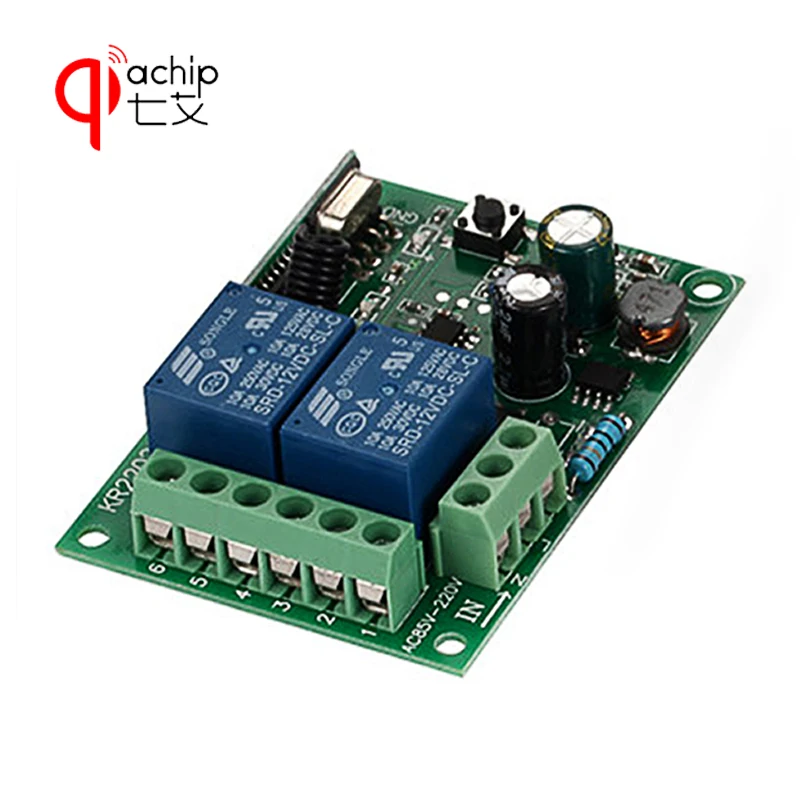
Receiver module (KR2202-4 ) * 1pcs ( include Shell )
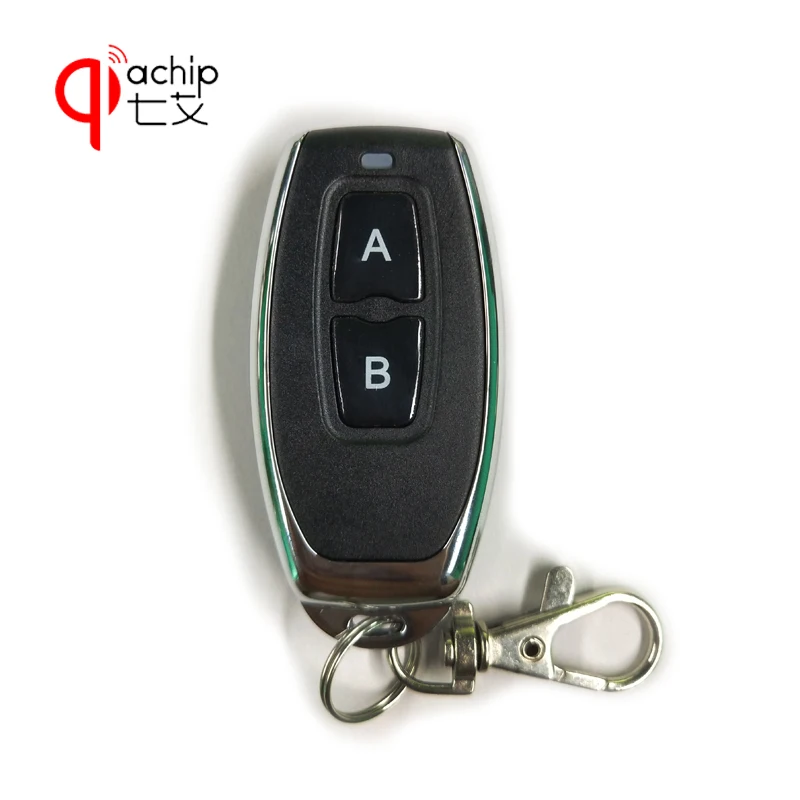
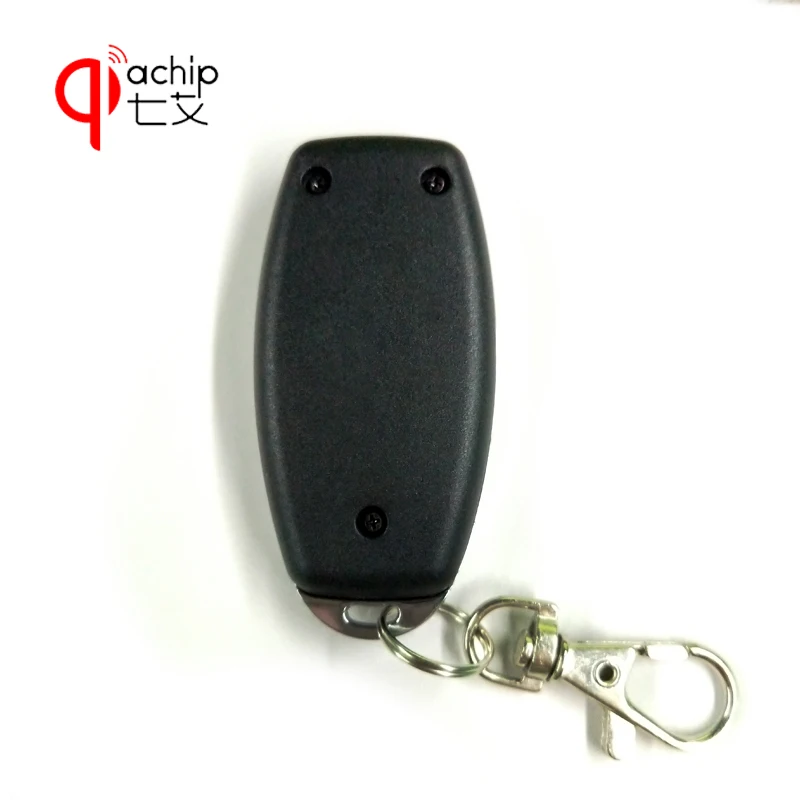
Remote Control * 2pcsTECHNICAL DATA
Input Power:AC 85V-250V Standby Current:<8.5MA RF Frequency: 433M RF working mode: superheterodyne Receive sensitivity: > 97 dbm Transmitting distance: More than 15 meters Decoding mode: MCU software decoding Learnable Transmitters: 1-16 transmitters Support remote type: Learning code (1527) Switching Modes: Both Momentary & Toggle Wiring type:fixed terminal Switch Output : normally open & normally closed. HOW TO USE On this products details page, there is a demonstration video available. You can also see the video at this URL: //youtu.be/k06q76qthBw WORKING MODES EXPLANATION Momentary Mode: Push the remote button , the relay activates, release the remote button the relay deactivates. Toggle Mode: Push and release the remote button , the relay activates. Push and release the remote button again and the relay deactivates.


 NOTE
After clearing the stored transmitters, all transmitters will need to be relearned by the receiver.
Push the learning button on the receiver 8 times, and the codes will be cleared .
Learning the transmitter : (momentary Mode)
1.Press and release the learning key on the receiver once.
Wait for a moment , the LED will turn off , indicating you entered the learning state.
2.Press and release the first button on your transmitter, the LED on the receiver board will flash on then off indicating the button was learned.
3.Press and release the second button on your transmitter, watching the LED go on and off again.
Wait 3 seconds, the LED will turn on again, indicating system is ready for use.
Learning the transmitter : ( Toggle Mode )
1.Press and release the learning key on the receiver twice.
Wait for a moment , the LED will turn off , indicating you entered the learning state.
2.Press and release the first button on your transmitter, the LED on the receiver board will flash on then turn off.
Indicating the button was learned.
3.Next press and release the second button, watching the LED go on and off again.
Wait 3 seconds, the LED indicator will turn on again , indicating system is ready for use
Two button transmitters can only be used as toggle or momentary.
One mode per 2 button transmitter.
(Please note: You let the control panel to learn the remote control, you must press the "A" and "B" button;
Rather than just pressing one of them )
However you can program another transmitter in the other mode.
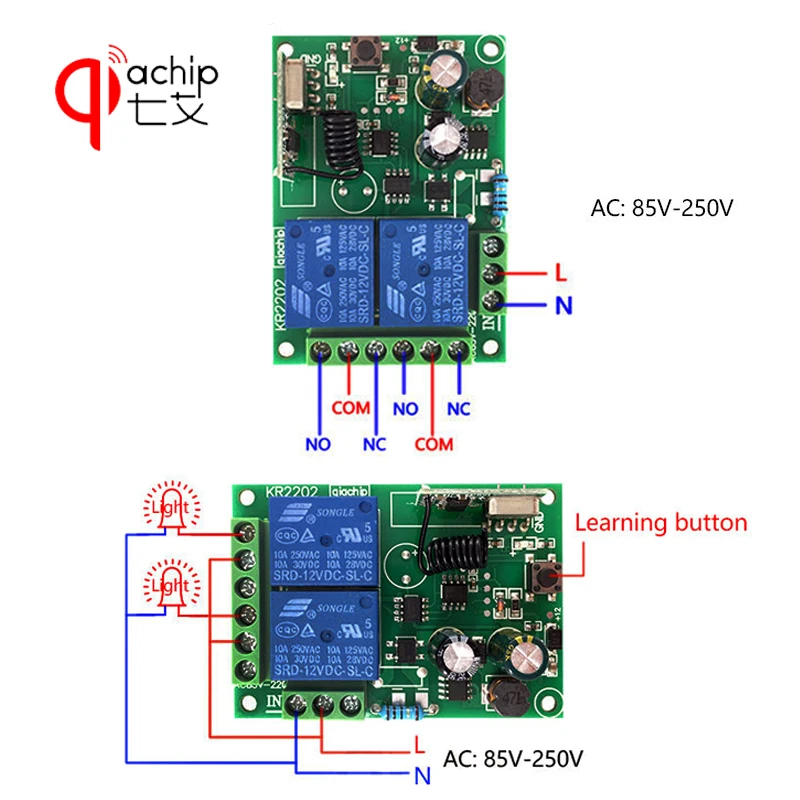
Wiriing Diagram for Lighting
NOTE
After clearing the stored transmitters, all transmitters will need to be relearned by the receiver.
Push the learning button on the receiver 8 times, and the codes will be cleared .
Learning the transmitter : (momentary Mode)
1.Press and release the learning key on the receiver once.
Wait for a moment , the LED will turn off , indicating you entered the learning state.
2.Press and release the first button on your transmitter, the LED on the receiver board will flash on then off indicating the button was learned.
3.Press and release the second button on your transmitter, watching the LED go on and off again.
Wait 3 seconds, the LED will turn on again, indicating system is ready for use.
Learning the transmitter : ( Toggle Mode )
1.Press and release the learning key on the receiver twice.
Wait for a moment , the LED will turn off , indicating you entered the learning state.
2.Press and release the first button on your transmitter, the LED on the receiver board will flash on then turn off.
Indicating the button was learned.
3.Next press and release the second button, watching the LED go on and off again.
Wait 3 seconds, the LED indicator will turn on again , indicating system is ready for use
Two button transmitters can only be used as toggle or momentary.
One mode per 2 button transmitter.
(Please note: You let the control panel to learn the remote control, you must press the "A" and "B" button;
Rather than just pressing one of them )
However you can program another transmitter in the other mode.
Wiriing Diagram for Lighting


Смотрите так же другие товары: